 Matterbridge mDNS reflector Matterbridge mDNS reflector
This project aims to use Matterbridge in these configurations:
| Docker type | Docker network | OS | Ipv4 | Ipv6 | Share (3) | Home Assistant | Matter Server |
|---|---|---|---|---|---|---|---|
| Docker Desktop | bridge (1) | Windows | ✅ | ✅ | ✅ | ✅ | ✅ |
| Docker Desktop | bridge (1) | macOS | ✅ | ✅ | ✅ | ✅ | ✅ |
| Docker Engine | bridge (2) | Linux | ✅ | ✅ | ✅ | ✅ | ✅ |
| Dev Container | bridge | Windows | ✅ | ✅ | ✅ | ✅ | ✅ |
| Dev Container | bridge | macOS | ✅ | ✅ | ✅ | ✅ | ✅ |
| Wsl | Nat mode (4) | Windows | ✅ | ✅ | ✅ | ✅ | ✅ |
(1) - Network host in this configuration is useless cause Docker runs inside a VM.
(2) - Network host in this configuration works already out of the box cause Docker runs on the host.
(3) - Share mDNS between separate containers.
(4) - The mirrored mode works already out of the box cause is on the host.
It can also be used to run Home Assistant and Matter Server inside Docker Desktop on Windows and macOS (with network bridge) without using complex VM. You just copy paste this docker-compose.yml.
Since the mDNS are shared between reflector clients, you can pair Matterbridge running with Docker Desktop to Home Assistant running with Docker Desktop. Even on the same machine.

See Docker Desktop System Requirements.
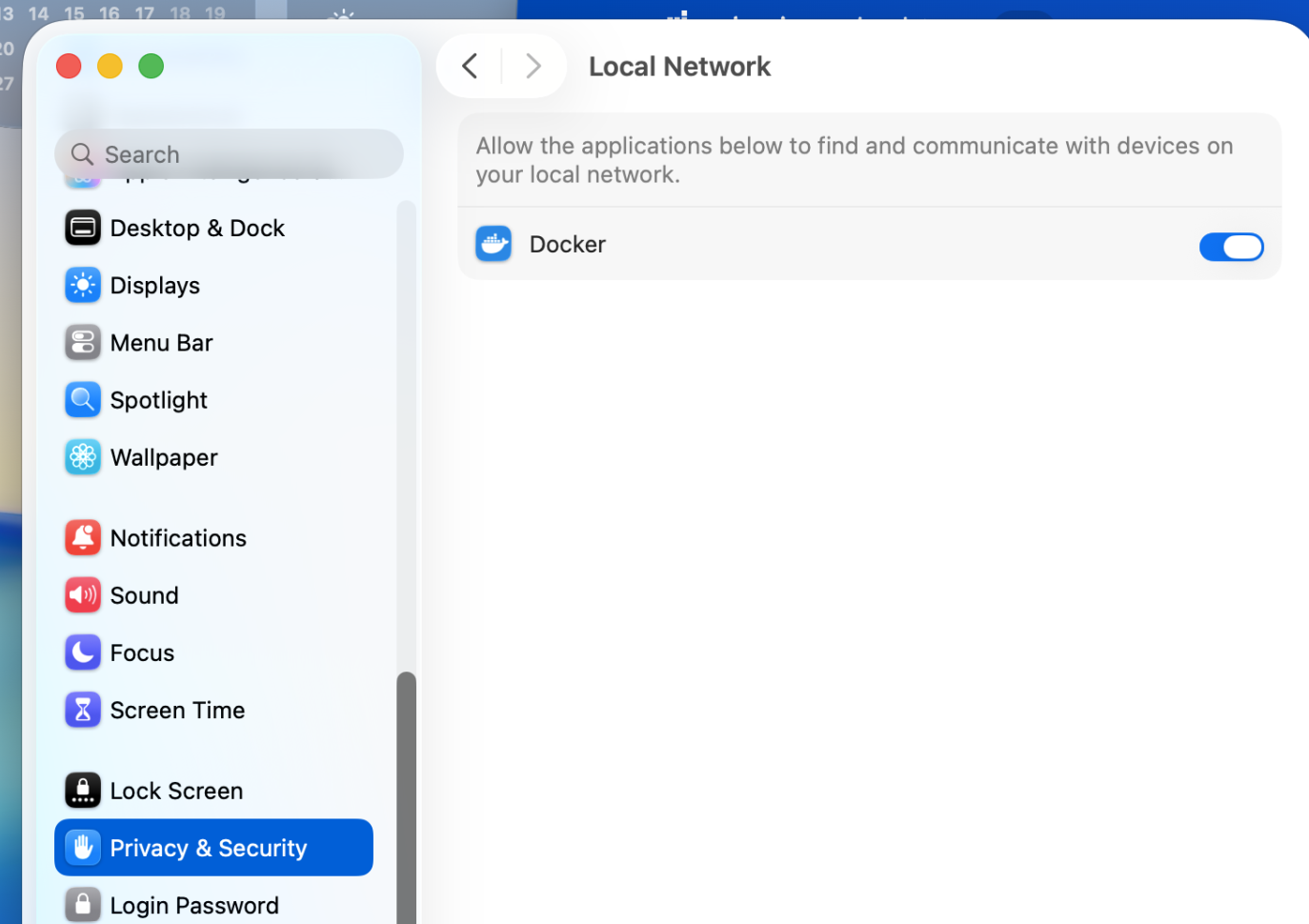
On macOS verify that Docker has access to the local network: System Settings → Privacy & Security → Local Network (macOS release upgrade may turn it off).
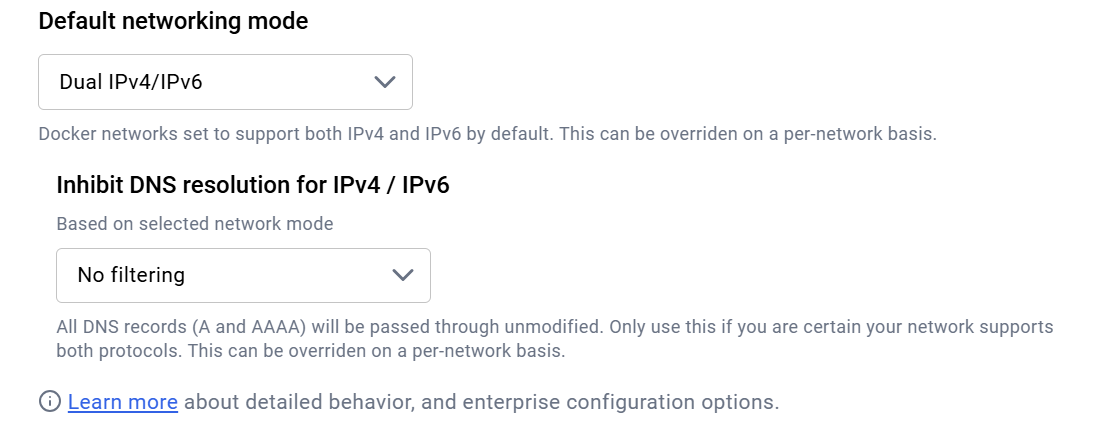
We use named volumes for storage, plugins and mattercert.
We publish the default matterbridge frontend port 8283.
We publish the matter port range 5550-5559 to allow childbridge mode and server node devices (RVCs).
macOS
docker stop matterbridge-test
docker rm matterbridge-test
docker pull luligu/matterbridge:dev
docker network inspect matterbridge || docker network create --ipv6 matterbridge
docker run -dit --restart unless-stopped --stop-timeout 60 --network matterbridge --name matterbridge-test \
  -p 8283:8283 -p 5550-5559:5550-5559/udp \
  -v storage:/root/.matterbridge -v plugins:/root/Matterbridge -v mattercert:/root/.mattercert \
  luligu/matterbridge:dev matterbridge --docker --frontend 8283 --port 5550
docker logs --tail 1000 -f matterbridge-test
powerShell
docker stop matterbridge-test
docker rm matterbridge-test
docker pull luligu/matterbridge:dev
docker network inspect matterbridge || docker network create matterbridge
docker run -dit --restart unless-stopped --network matterbridge --name matterbridge-test `
  -p 8283:8283 -p 5550-5559:5550-5559/udp `
  -v storage:/root/.matterbridge -v plugins:/root/Matterbridge -v mattercert:/root/.mattercert `
  luligu/matterbridge:dev matterbridge --docker --frontend 8283 --port 5550
docker logs --tail 1000 -f matterbridge-test
You will see that the frontend inside the container is listening on the container address
[09:02:10.140] [Frontend] The frontend http server is listening on http://172.17.0.2:8283
[09:02:10.140] [Frontend] The frontend http server is listening on http://[fd3d:8954:ffe5::2]:8283
But since we mapped the port 8283:
the frontend is available on the host with localhost:8283, your_host_ip:8283 or your_hostname:8283.
the frontend is available on the lan with your_host_ip:8283 or your_hostname:8283.
In the same way the Matter port range 5550-5559 is mapped outside the container to allow the controllers on the lan to discover and connect Matterbridge.
From another terminal run mb_mdns inside the container we created and run before
docker exec -it matterbridge-test mb_mdns --no-timeout
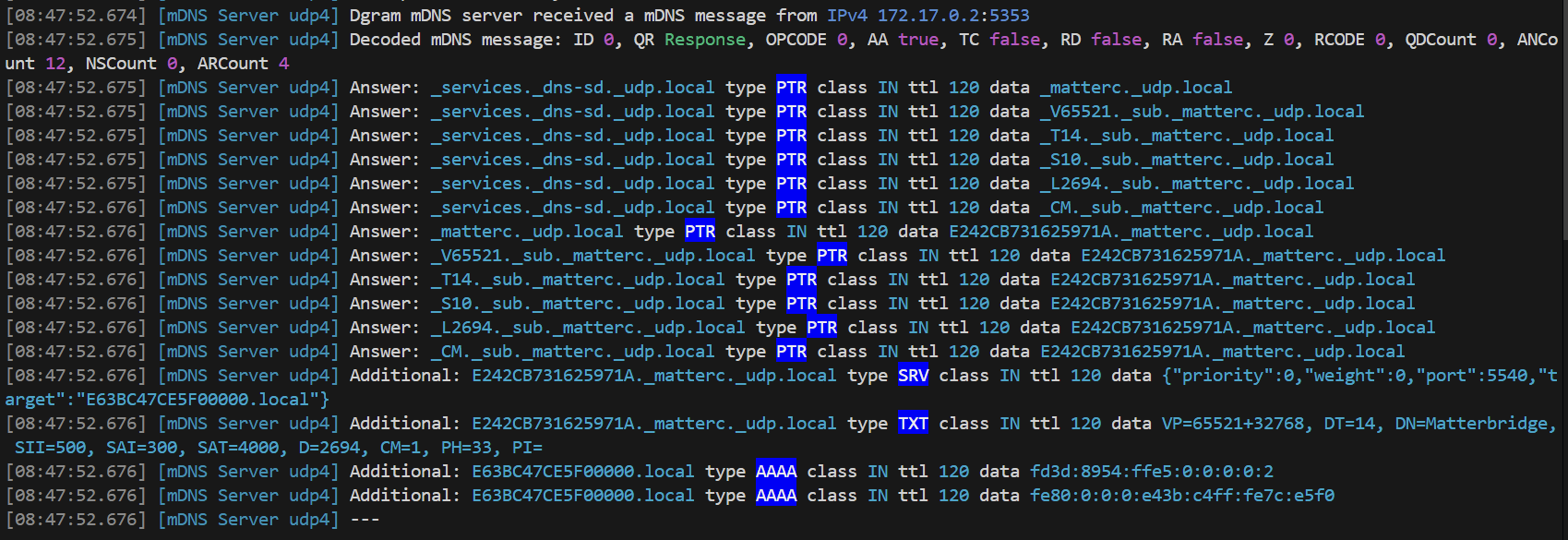
In a while you will see what mDNS packets are advertised inside the container
From another terminal run ip a and ip r inside the container we created and run before
docker exec -it matterbridge-test apt-get update
docker exec -it matterbridge-test apt-get install -y --no-install-recommends iproute2 iputils-ping net-tools dnsutils tcpdump netcat-openbsd
docker exec -it matterbridge-test ip a
docker exec -it matterbridge-test ip r
Change eventually homeassistant.local with any other local hostname on your lan.
With alpine image:
docker pull node:24-alpine
docker run --rm node:24-alpine ping -c 2 homeassistant.local
docker run --rm node:24-alpine ping -c 2 host.docker.internal
docker run --rm node:24-alpine ping -c 2 8.8.8.8
or with trixie image:
docker pull node:24-trixie && docker run --rm -e DEBIAN_FRONTEND=noninteractive node:24-trixie bash -c "\
  apt-get update -qq && \
  apt-get install -y -qq iproute2 iputils-ping curl >/dev/null && \
  echo '=== ip a ===' && ip a && \
  echo '=== ip r ===' && ip r && \
  echo '=== ping homeassistant.local (HA) ===' && ping -c 2 homeassistant.local && \
  echo '=== ping host.docker.internal ===' && ping -c 2 host.docker.internal && \
  echo '=== ping 8.8.8.8 ===' && ping -c 2 8.8.8.8"
or with the matterbridge image:
docker pull luligu/matterbridge:dev && docker run --rm -e DEBIAN_FRONTEND=noninteractive luligu/matterbridge:dev bash -c "\
  apt-get update -qq && \
  apt-get install -y -qq iproute2 iputils-ping curl >/dev/null && \
  echo '=== ip a ===' && ip a && \
  echo '=== ip r ===' && ip r && \
  echo '=== ping homeassistant.local (HA) ===' && ping -c 2 homeassistant.local && \
  echo '=== ping host.docker.internal ===' && ping -c 2 host.docker.internal && \
  echo '=== ping 8.8.8.8 ===' && ping -c 2 8.8.8.8"
The advertised mDNS packets cannot reach the host and the lan cause mDNS are not routed inside Docker Desktop
The advertised mDNS packets contain wrong A and AAAA records:
| OS | Type | Dowload | Link |
|---|---|---|---|
| Windows | Any arch | .exe | download |
| macOS | Apple Silicon | .dmg | download |
| macOS | Intel | .dmg | download |
| Ubuntu | desktop | .AppImage | download |
| Ubuntu | headless | .deb | download |
| Debian | Any distro | .deb | download |
You may need to approve the install while the try apps are not digitally signed.
Verify also that the firewall, if enabled, allows UDP for the app on public and private networks.
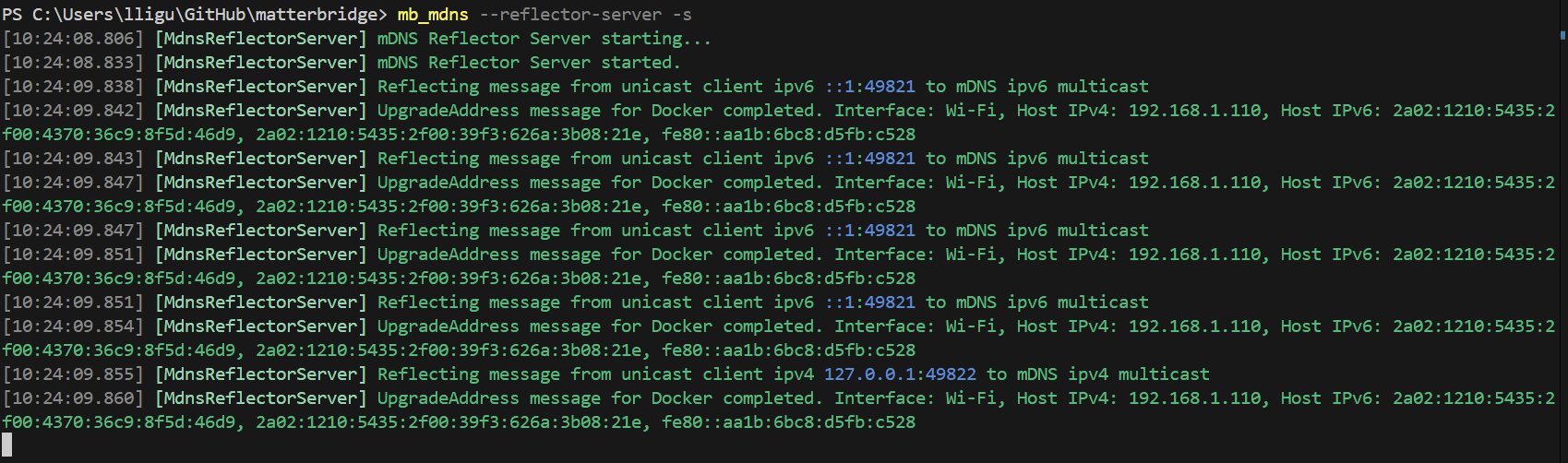
In a while you will see:
docker stop matterbridge-reflector
docker rm matterbridge-reflector
docker pull luligu/reflector-client:latest
docker network inspect matterbridge || docker network create --ipv6 matterbridge
docker run -dit --restart unless-stopped --network matterbridge --name matterbridge-reflector luligu/reflector-client:latest
docker logs --tail 1000 -f matterbridge-reflector
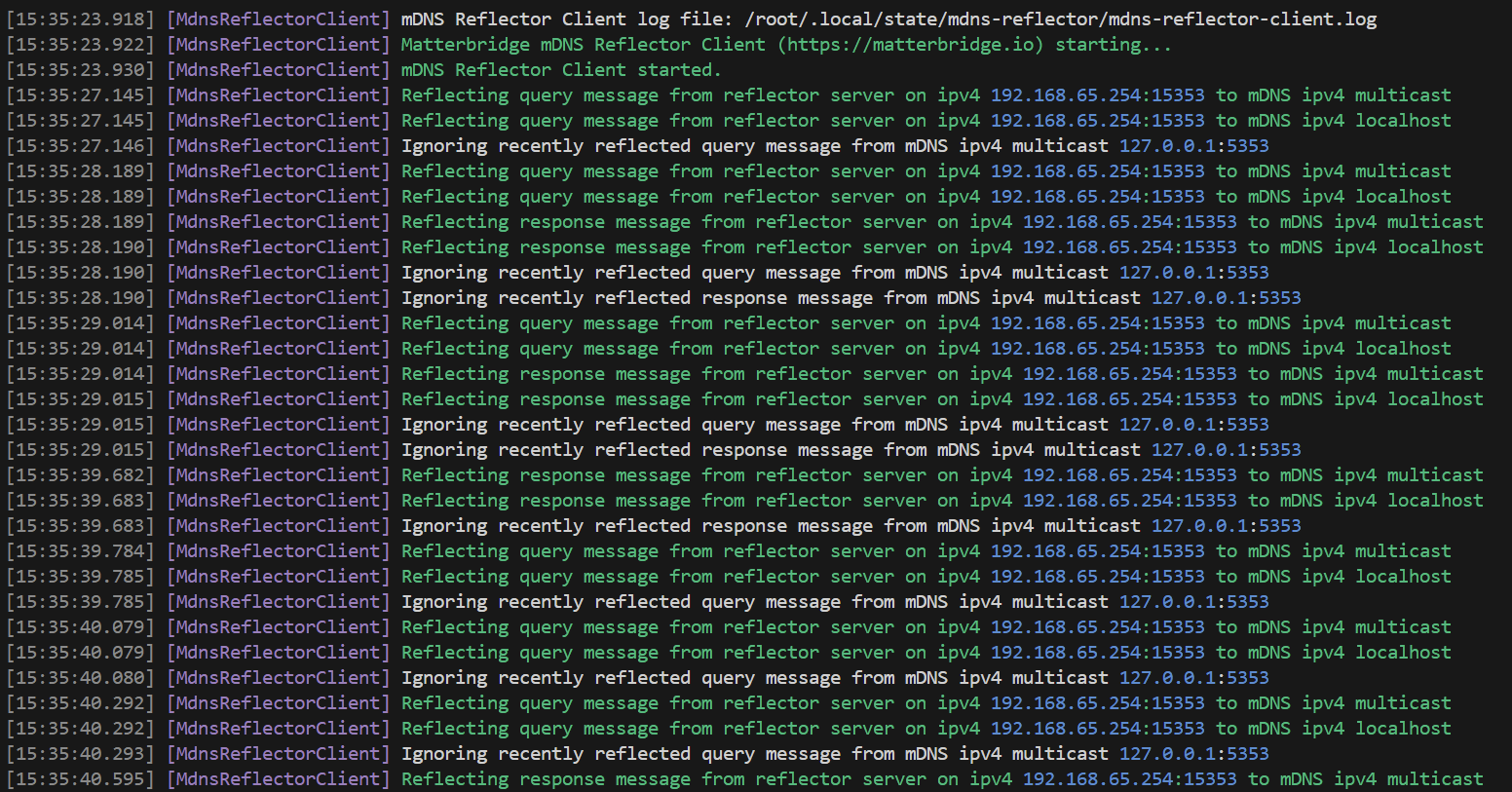
In a while you will see:
You need the Matterbridge reflector server tray app running on the host from the tutorial above.
To test the sharing feature (it shares mDNS between all reflector clients), use this reflector-docker-compose.yml.
With this configuration Home Assistant (with Matter Server) works inside a Docker Desktop container without network host. The configuration is stored in the external homeassistant and matterserver volumes so it is shared across Compose projects and preserved by docker compose down. When asked by Home Assistant, connect to Matter Server with ws://matterserver:5580/ws.
docker network inspect matterbridge || docker network create --ipv6 matterbridge
docker volume inspect homeassistant || docker volume create homeassistant
docker volume inspect matterserver || docker volume create matterserver
docker compose -p matterbridge-reflector -f reflector-docker-compose.yml down
docker compose -p matterbridge-reflector -f reflector-docker-compose.yml pull
docker compose -p matterbridge-reflector -f reflector-docker-compose.yml up -d --force-recreate
docker logs --tail 1000 -f reflector